Identification Lifecycle
The Ident lifecycle starts with the creation of an Ident request. Ident requests can be created by you via the API using user data that you have captured during your initial user registration process. Users then perform the identification process using our native app, SDK or web app.
Once an identification is completed by the user in the app, it can go through different flows depending on how your account is setup. The default or standard flow is that the Ident is automatically analysed (called AutoReview) by our AI system and there is an outcome. However, in cases where AI flags errors or is unable to conclusively determine the outcome of an Ident, it sends the Ident to an IDnow agent for a manual review, and after review, the final outcome will be available.
The following diagram shows the Ident Lifecycle with the option AutoReview enabled. This is the case where a customer wants only those idents to be reviewed by an agent which have not been automatically analysed by the system. The AI system performs a number of checks and validations and if it is not confident of the result, the ident is sent to a human agent for review.
Once this entire process is complete, you will be able to retrieve the final result of the identification. You will also receive webhooks at various stages of the process as indicated in the diagram.
It is not possible to retrieve data for an Ident which has not yet been started by the user in the app. These 'not completed' Idents stay in the created state. Data or result retrieval requests via the API, for such cases, will result in an error, as the Ident is not finished. API calls are discussed later in the documentation.
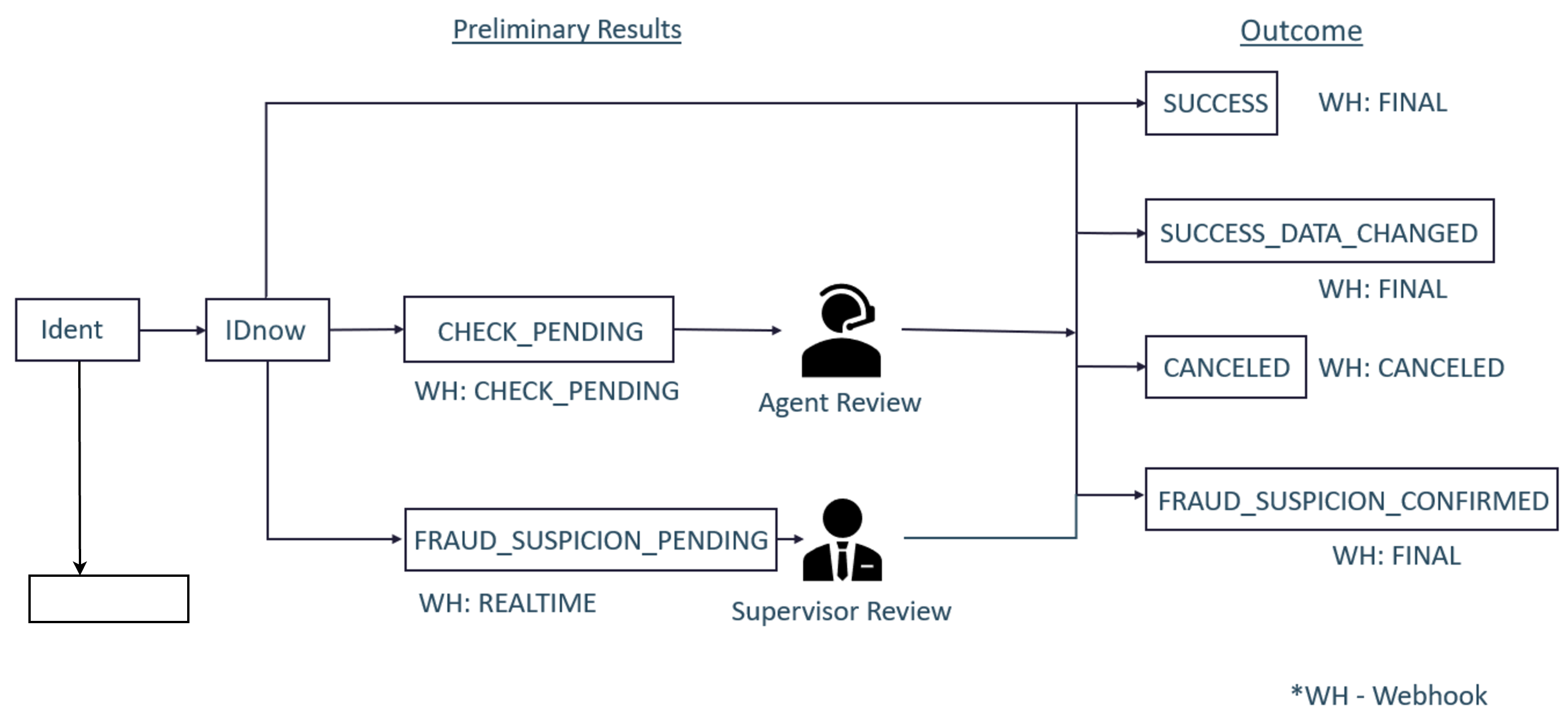
Lifecycle with the AutoReview option disabled
This is the case where a customer wants all the idents to be reviewed manually by an agent:
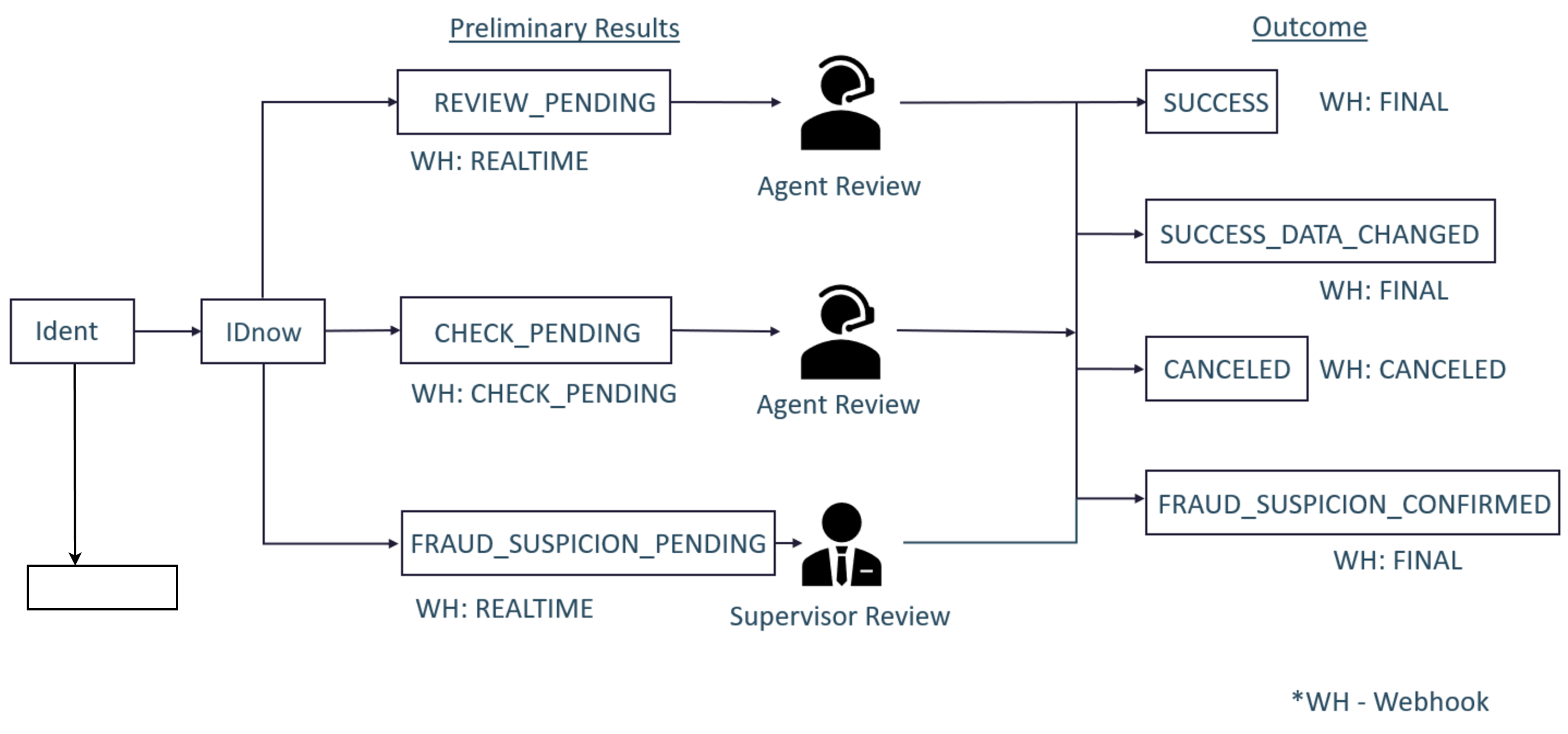
Lifecycle for video ident with agent call and review
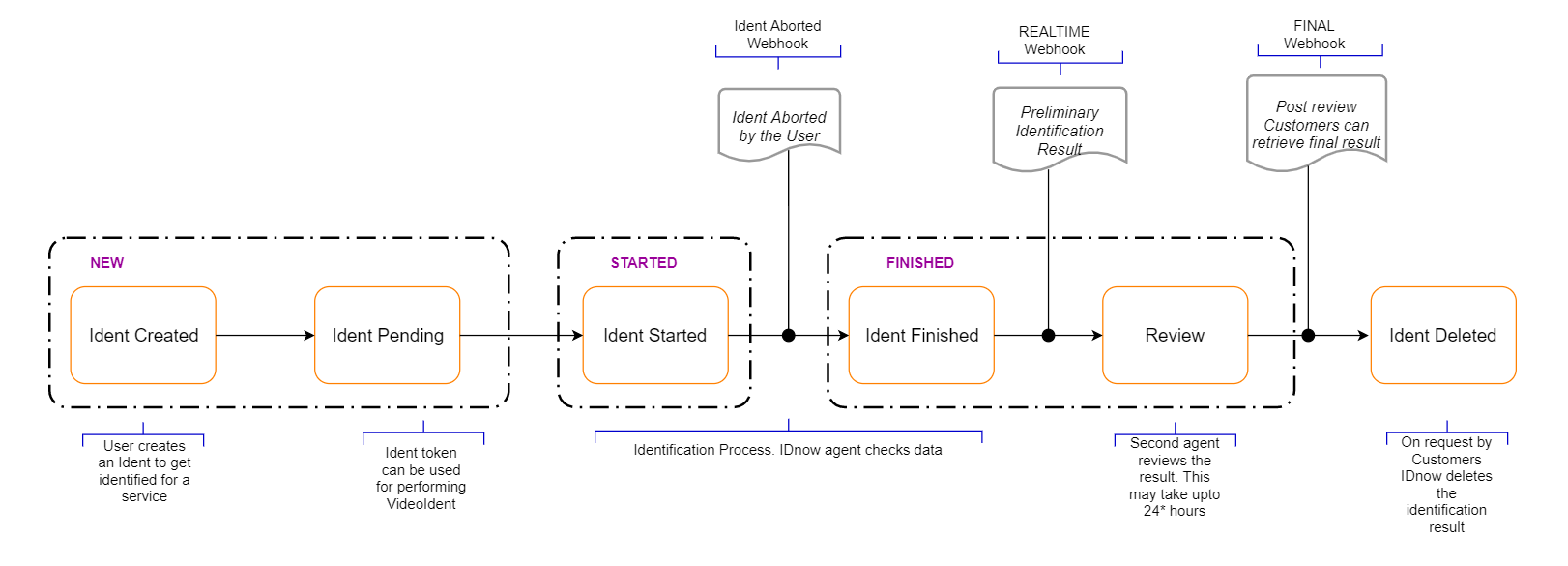
Reusing IdentIDs
IdentIDs can be reused as long as they do not have a Finished status, i.e the Ident has one of these final outcomes - Success, Success_Data_Changed and Fraud_Suspicion_Confirmed). See Status and result values for the full reference.
Idents that are in the Canceled or Aborted states can be reused for the same user to start another attempt.
If an IdentID is Canceled by the agent or if it is Aborted because the user drops out during the identification process in the app due to any reason (network issues, app issues, user intended to drop out), then the same IdentID should be reused by the user again. Therefore, it is important that no new IdentID is generated for the same user identification. Always ensure to use the same IdentID for the same user. Multiple IdentIDs for the same user will cause problems with the product in the longer run.
If an IdentID is being reviewed by the agent/supervisor then the user cannot use the same IdentID to start another attempt in the app. Users should not be allowed to start a new idnentification process when an agent/supervisor is reviewing the existing identification request of the user.
In some cases, it may happen that the FINAL webhook results are changed by IDnow later on. These are rare cases, for instance, if an agent/supervisor made a mistake in identifying a user and marked it as a Fraud_Suspicion_Confirmed, but then the customer reported it and asked for it to be marked as Success, then in such cases, supervisors can review the Ident again and change its status. These rare cases should be considered during the integration.